Articles · March 1, 2021
How To Use AI To Augment Your Creative Process For Art
Using AI tools to find inspiration and break out of a creative rut.
When it comes to creative inspiration, I’ve been fortunate to be in a phase right now where I don’t have a shortage of ideas and tend to get into a creative state more readily. I find that while I do sometimes create artwork based on photos or find inspiration from other paintings, I tend to work best creating art in a stream of consciousness way; I tend to have an idea of what I want to do, but really don’t know what I’m going to get until I get there.
With all that said, I’m always interested in expanding my options for creative inspiration and trying new things. With my background in technology, I’ve had my eye on AI (Artificial Intelligence) for some time; and all the variants including ML (Machine Learning) and CV (Computer Vision). And, I’ve had it on the back of my mind to find some way to eventually incorporate some of these technologies into my work. Now, I originally envisioned this meaning that AI might be used to alter an already finished product, but never considered using AI to help augment my own creative process – giving me ideas for ultimately creating the painting myself in ways that I might not have arrived at alone. In this sense, AI can be used as a creative assistant (a new way to help with flow hacking).
Introducing NVIDIA’s GauGAN
I recently discovered a fascinating tool from NVIDIA Research called GauGAN.
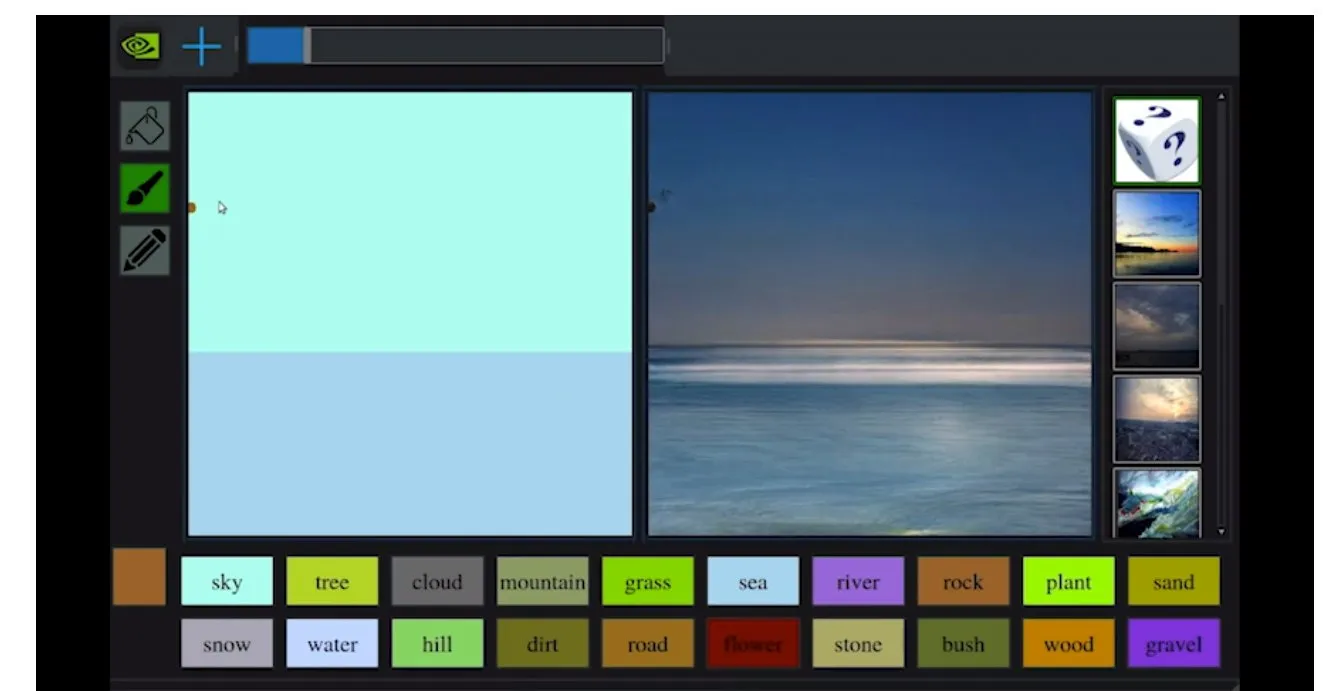
A novice painter might set brush to canvas aiming to create a stunning sunset landscape, craggy, snow-covered peaks reflected in a glassy lake, only to end up with something that looks more like a multi-colored inkblot.
But a deep learning model developed by NVIDIA Research can do just the opposite: it turns rough doodles into photorealistic masterpieces with breathtaking ease. The tool leverages generative adversarial networks, or GANs, to convert segmentation maps into lifelike images.
The interactive app using the model, in a lighthearted nod to the post-Impressionist painter, has been christened GauGAN.
— From NVIDIA Research’s post
This is pretty fascinating because with a very quick and easy doodle, GauGAN is able to create a pretty stunning photorealistic piece of art. You can also upload an existing piece of artwork or photo, and GauGAN will transform this back to an AI-detected doodle, which will then get transformed again into a final rendering.
Testing the AI Output
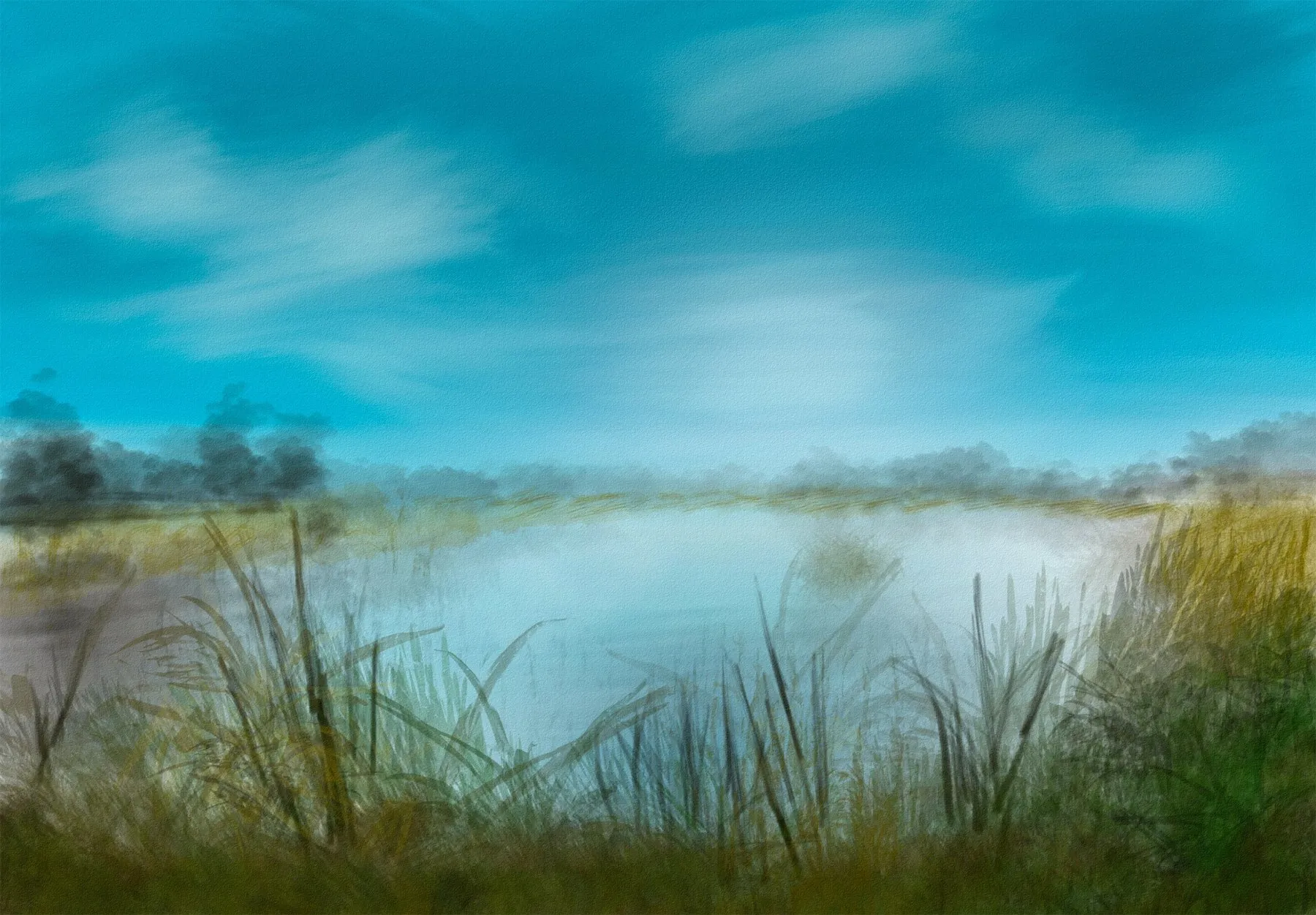
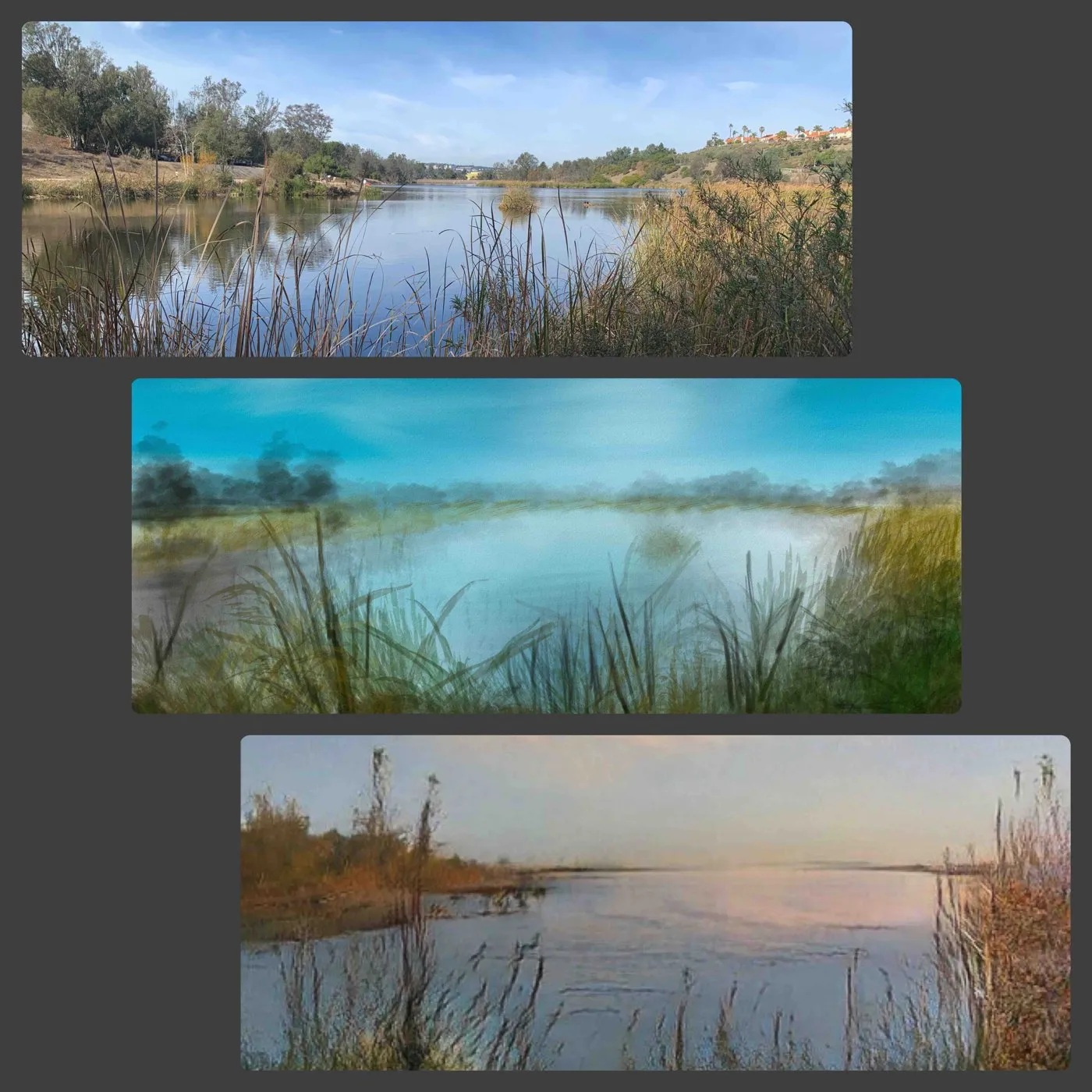
As a quick test, I took my Laguna Niguel Lake piece and it was transformed back into an image that was very strikingly similar to the exact photo I used for inspiration while painting it! Now, I did try this with a bunch of other pieces of art and found that while the results were very interesting none were as close as this painting.
Using AI for Creative Input
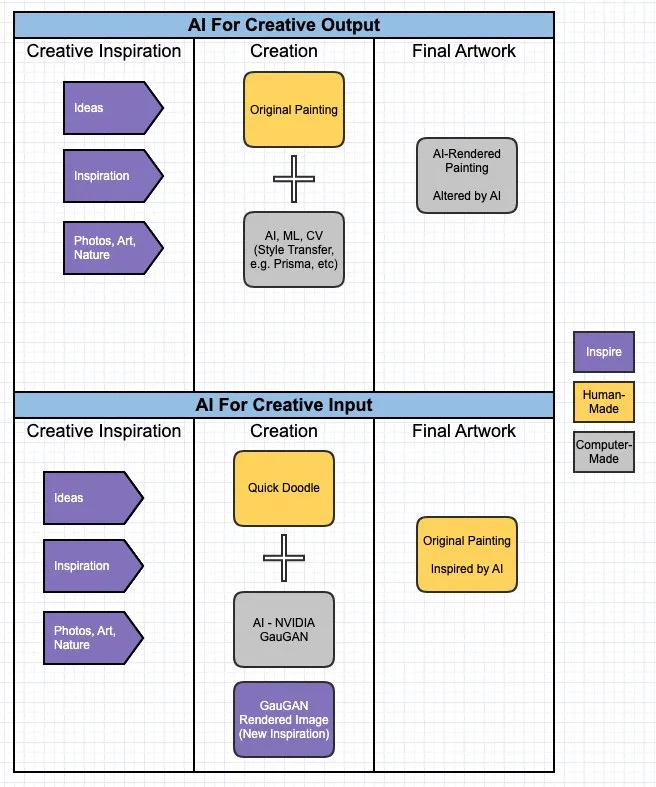
This example by itself shows the powerful potential that GauGAN has; primarily for allowing people to quickly create all sorts of new artwork, and rapidly change the style, look and feel. But, this had me thinking. What if this could be used to quickly get creative inspiration for a new painting? One that you are still creating on your own, and not using AI to assist with the output. Rather, you’re using AI to help augment your own creative ability by participating early on in the creation process. See the following diagram to help illustrate this:
To test this out I started by creating a doodle in Procreate on my iPad. This was a situation where I created the doodle on the fly (stream of consciousness), and the thought on using GauGAN for inspiration popped in my head. In the case of the doodle I was trying a new brush (pencil), and seemingly randomly chose the brownish color (this color scheme was clearly on my mind as you’ll see below).
You can also see in the doodle I penciled in a sun and some clouds. The dark area in the grass beside the barn was just randomly created to denote a shadow, but this turned out to be a good ‘happy little accident’ as far as GauGAN was concerned.
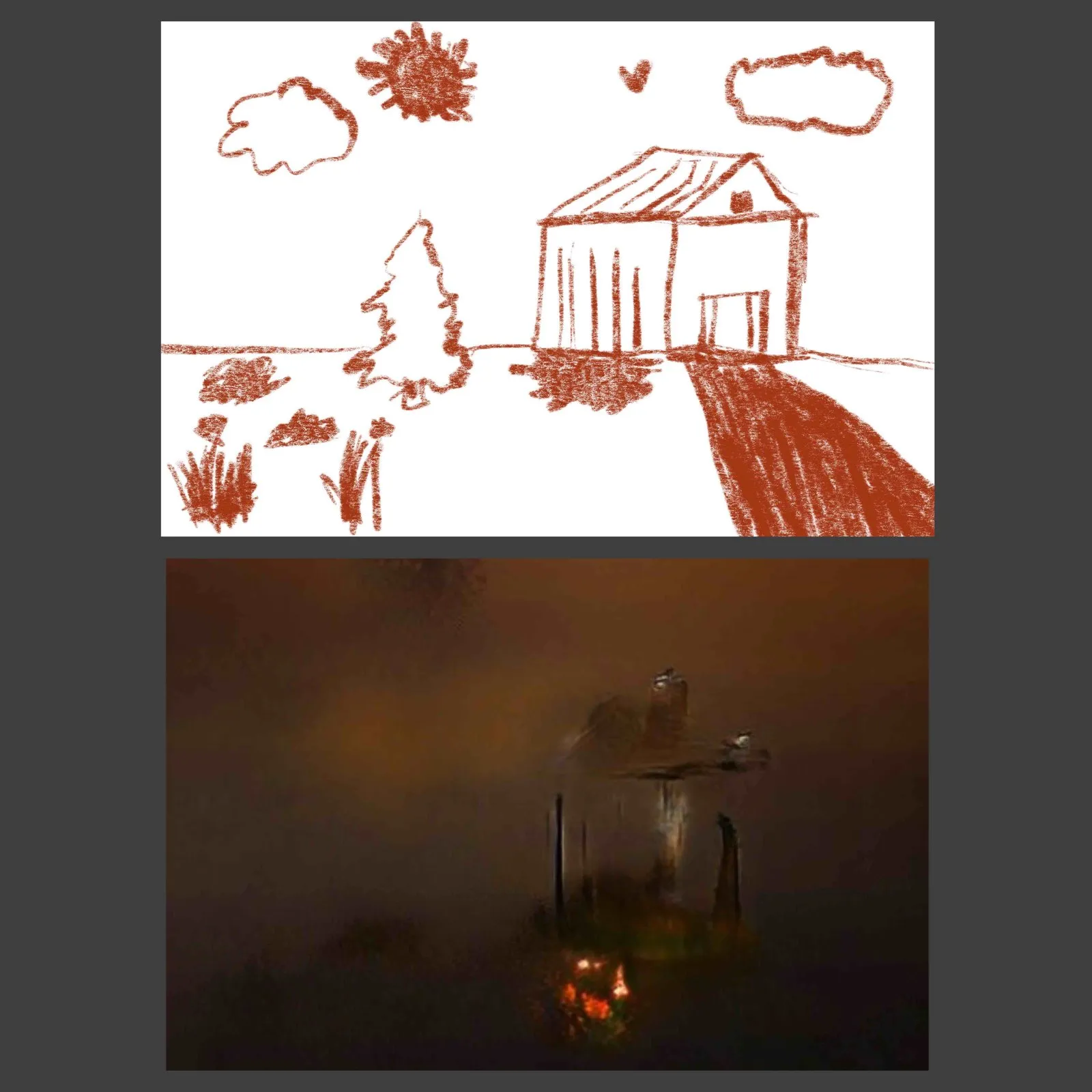
Upon uploading my Doodle, this was transformed into a segment map. It is interesting to see what GauGAN thought was ground, building, landscape, sky, etc. Upon selecting the dark/red theme, I was presented with the image above. It’s a very dark image, and in line with the style of Tonalism that I’ve been painting lately and it really resonated with me.
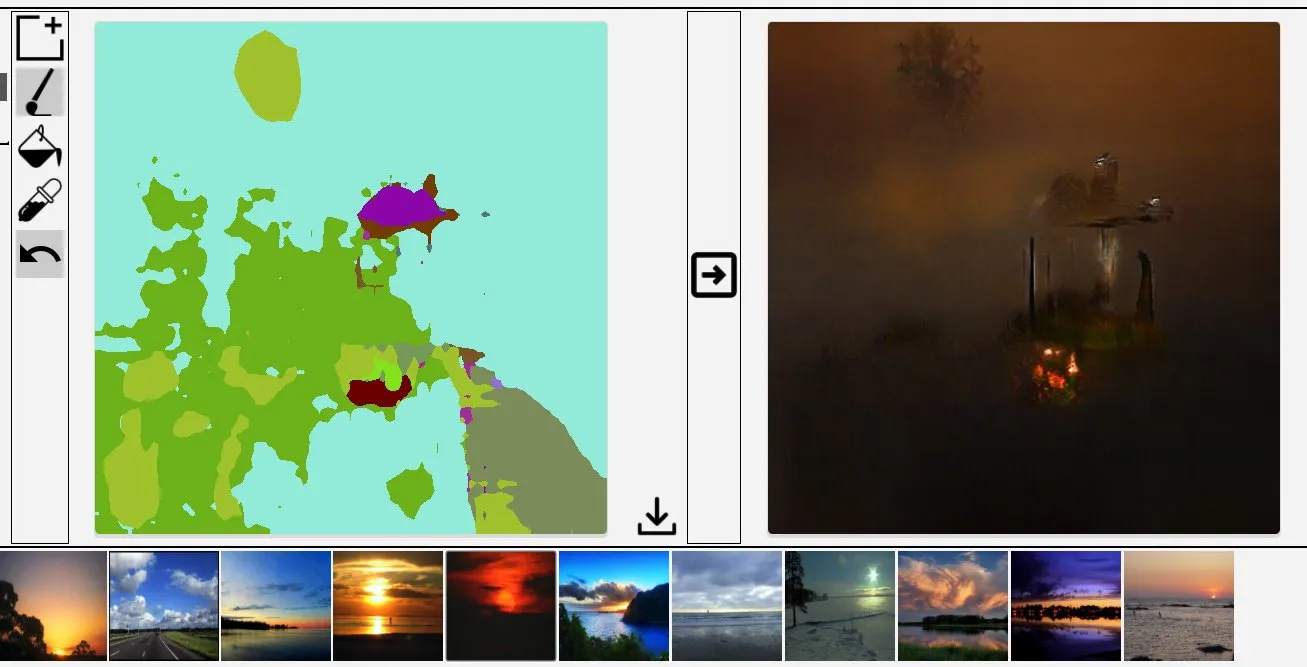
I noticed what appeared to be mist and trees in the background, the outline of a cabin (originally a barn, now with a chimney) and where the shadow of the barn once was, was now something that appeared to be a campfire. I’m not sure what GauGAN thought this was, but this is what my mind’s eye saw.
And so, here we have a great idea for a painting (dark theme, moody, and a cabin in the woods at night with a fire). The end result some hours later was the following:
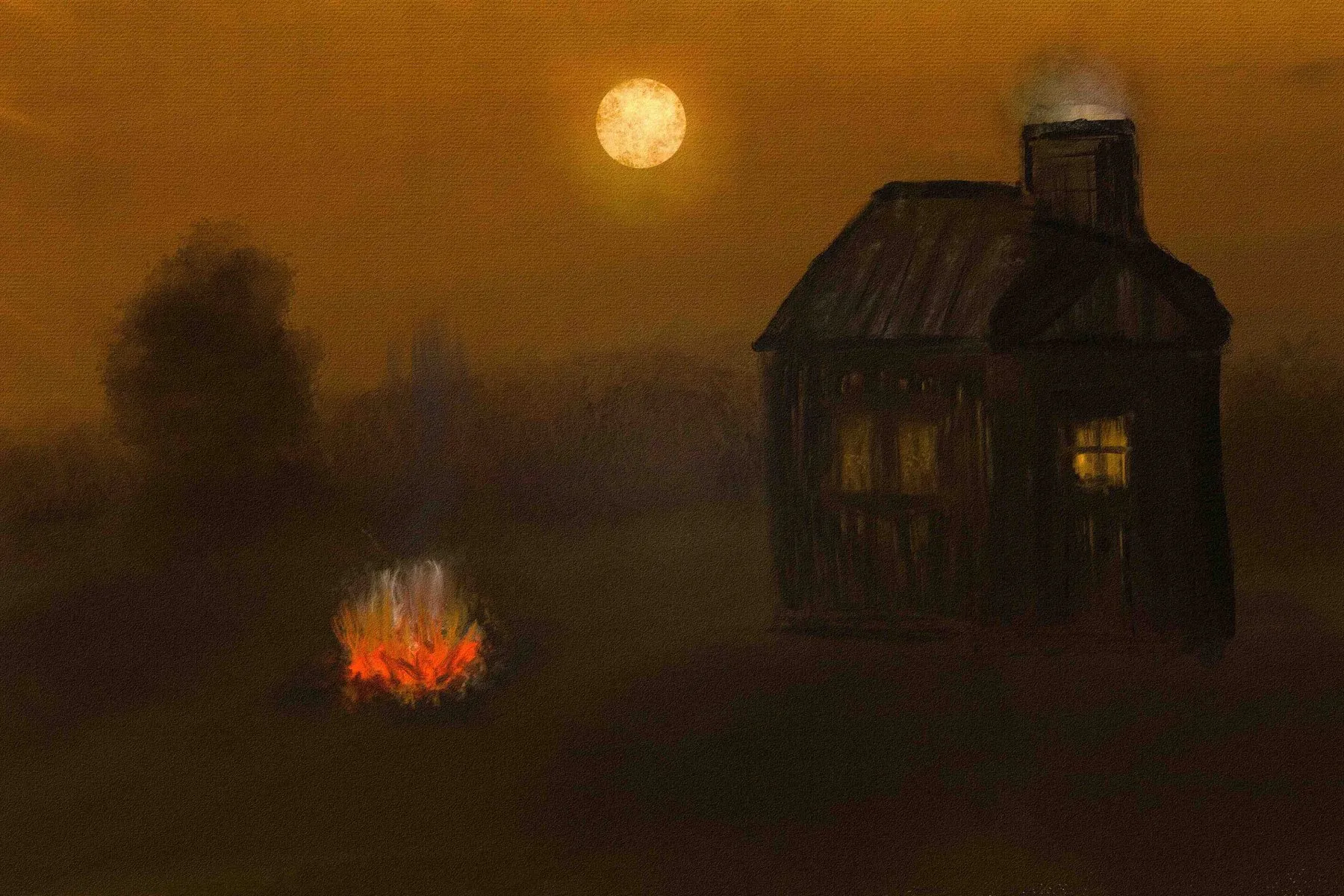
I definitely plan on trying this technique again, and seeing what sort of new ideas can be generated. I love the notion of being able to use technology to help augment your own creative abilities. This way you’re not just relying on technology to create the work or a variation on your art. Rather, you’re using AI to get inspired, and create things using an entirely new perspective. Give this a try, and let me know what amazing creations you come up with!